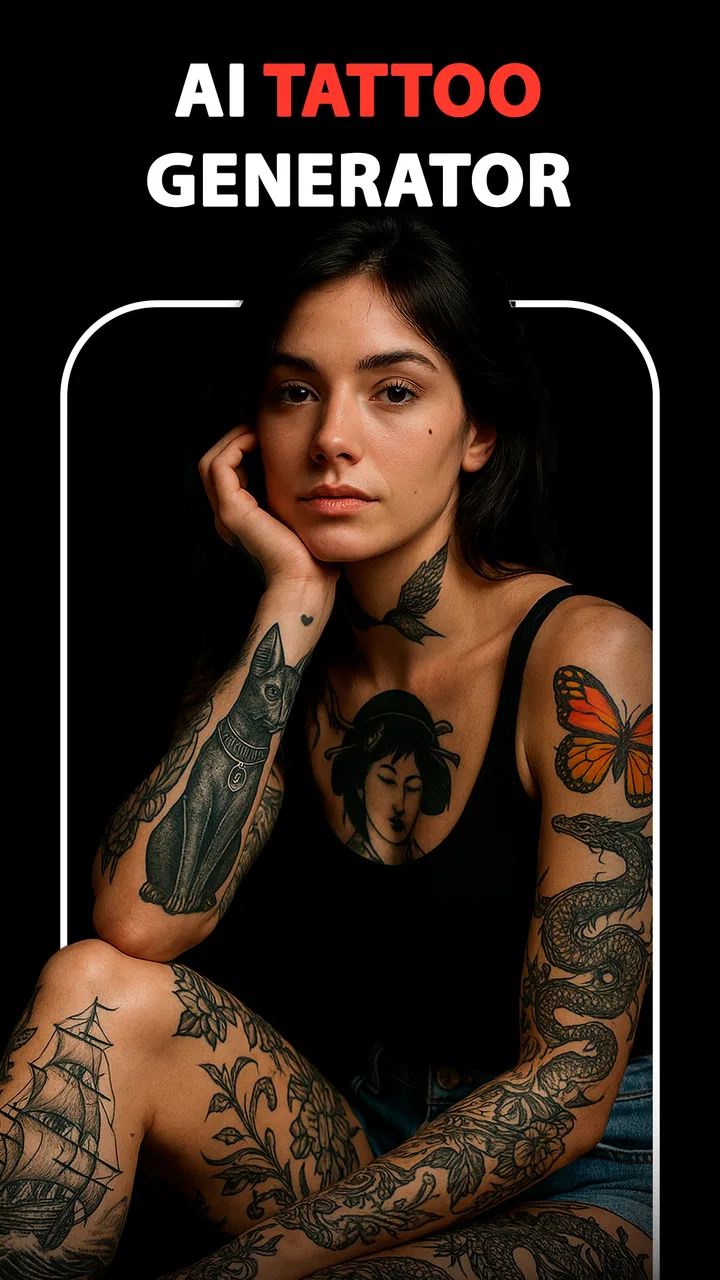
Inkit - AI Tattoo Generator
- 4.0
- Rating
- 50.00K
- Installs
- Free
- Price
 Analysis by App-foxy
I tried Inkit - AI Tattoo Generator as a practical idea-building tool rather than treating it like a finished tattoo studio. That distinction matters. The app is aimed at the moment when you have a vague concept—perhaps a snake, a flower, a name, or a symbol—but no clear visual direction yet. Instead of opening a blank drawing canvas, I could begin with a description and use the generated designs as a starting point for discussion.
That makes it useful for a very specific part of the tattoo process: turning an uncertain thought into something visible. It is an Art & Design app from Yawai, available free to try, with optional purchases priced from $4.99 to $49.99 per item. Its store presence shows a 4.0 average from around 673 ratings, while more than 50K people have installed it. Those figures suggest a modest but established audience rather than a huge mainstream design platform.
I would not treat any image it creates as a tattoo-ready stencil. I see it more as a visual conversation starter. You still need to check whether the design works at the size and placement you want, whether a tattoo artist can redraw it cleanly, and whether the result still feels personal after the first excitement wears off.
You May Also Like

 Blood Strike: 2.5 Anniversary
Blood Strike’s Loadouts Turn Every Drop Into a Tactical Gamble
A close look at Blood Strike’s custom loadouts: how fast access to signature weapons reshapes its battle royale rhythm, rewards preparation, and narrows the gap between fights.

 Pandora - Music & Podcasts
Pandora’s Music Is Easy to Start, but Harder to Recover
Pandora’s strength is its low-effort path from a seed to a station. Its weak spot is how much confidence it asks you to place in connection, setup, and quiet recovery.

 8 Ball Pool
 Is Built on Rivalries, Rematches, and Routine
A close look at the rivalries, rematches, shared routines, and unanswered safety questions that turn a quick pool match into a persistent mobile community.

 Samsung Music
’s Quiet Strength Is Playing What You Already Own
Its reach comes less from spectacle than from dependable access to a personal library. That simplicity is both the app’s strongest retention engine and its ceiling.

 AccuWeather: Weather Radar
AccuWeather Review: A Quick, Clear Forecast for Everyday Decisions
For everyday plans, the best forecast is the one you can understand quickly. AccuWeather makes rain timing, radar, and local conditions easy to act on, with a few trade-offs.

 Hill Climb Racing
Why Hill Climb Racing Still Turns Crashes Into One More Run
A tiny car, a bumpy hill and one more upgrade: Hill Climb Racing keeps resurfacing because its simple chaos makes every near-miss feel personal.
More From Our News Desk
View All News


From a vague idea to a workable visual brief
I find the most useful starting point is not a perfect prompt, but a clear reason for the tattoo: a memory, a place, or a feeling. Naming that first helps me separate the personal meaning from decorative details, so the visual brief has something more solid to build on. Once that foundation is clear, I can judge whether a generated image expresses the idea or merely looks attractive.
Starting with the idea you actually have
My preferred way to use the app is to begin with the imperfect version of an idea. Rather than trying to write an artistic prompt immediately, I would start with something natural: a small blackwork moth with a crescent moon, a fine-line botanical design for the forearm, or a traditional-style tiger with limited shading. This approach reflects how most people think about tattoos in everyday life. We usually know the subject and mood before we know the composition.
The important improvement comes from adding constraints. A prompt that only says “a wolf tattoo” leaves too much open. Adding the intended style, approximate placement, mood, line quality, and level of detail gives the generator a more useful brief. I found that this is also a good way to discover what I really want. If the first result feels too ornate, that tells me to simplify the brief rather than simply rejecting the whole concept.
I recommend separating the idea into four parts: subject, style, placement, and restrictions. For example, “a calm koi fish in black and grey, vertical composition, suitable for the outer forearm, with clear open areas and no background clutter” is more actionable than a list of unrelated visual references. The wording does not guarantee a perfect result, but it gives the app a better chance of producing something that can be discussed with an artist.
Using generated images as exploration, not commitment
The strongest use case is comparison. I can look at several directions and decide whether the tattoo should feel delicate, bold, mysterious, playful, or traditional. That is faster than trying to explain every possibility verbally. It is especially helpful for someone who has never commissioned custom artwork and does not yet know the names of different tattoo styles.
There is a subtle trade-off here. AI-generated tattoo images often look more polished on a screen than they would as ink on skin. Fine details can be attractive in a large image but become crowded when reduced to a small tattoo. I therefore pay attention to the broad silhouette first. If the design is recognizable when viewed as a small thumbnail, it has a better foundation than an image that depends entirely on tiny decorative marks.
Another useful habit is to save the emotional reaction, not just the image. When a result catches my attention, I ask what caused that reaction: the pose, the negative space, the expression, the framing, or the contrast. That answer becomes valuable information for the next prompt and later for the tattoo artist. The app is at its best when it helps me identify those preferences.
A realistic workflow for a first-time tattoo decision
Imagine I am planning a shoulder tattoo to mark a long hiking trip. I might begin with a mountain outline, a compass, and a small constellation. The first concept could be far too detailed. Instead of abandoning it, I would narrow the request: fewer stars, stronger outer lines, a clear central shape, and a composition that can follow the curve of the shoulder.
At that point, the app helps me move from symbolism to visual language. The mountain may become geometric rather than realistic. The compass may disappear because it competes with the main subject. The constellation may work better as a small accent than as a second focal point. This kind of editing is where the tool provides more value than simply generating a single attractive picture.
For a user in this situation, the practical question is not “Can the app design my final tattoo?” My answer would be no, not by itself. The better question is “Can it help me arrive at a clearer brief for a professional?” In that role, it can save time and reduce the awkwardness of trying to describe an image that exists only in your head.
Where the handoff to a tattoo artist begins
The handoff is the most important part of the workflow. I would show the artist the strongest generated image, but I would also explain what I want to keep and what I am willing to change. “I like the curved silhouette and the open center, but I do not need these tiny leaves” is much more useful than “Make this exactly the same.”
A professional artist may alter proportions, remove fragile details, correct anatomy, and adapt the composition to the body. Those changes are not failures of the app. They are the reason the handoff exists. Skin is not a flat digital canvas, and tattoo aging, needle technique, placement, and personal anatomy all affect the final result.
I would also bring more than one related concept if possible. A small group of variations can show the artist which elements consistently appeal to me. If every preferred image has a strong circular frame, that is probably part of the brief. If I keep rejecting heavy shading, that is equally important. The app can help reveal patterns in my taste that I might not notice from a single image.
What the result is good at—and what it is not
The result is most convincing as a concept board. It can give shape to a theme, suggest a composition, and help two people discuss alternatives. For a person who feels stuck at the “I want something meaningful but I do not know what” stage, that is a genuine benefit.
It is less reliable as a technical tattoo blueprint. Generated artwork may contain details that are difficult to reproduce, inconsistent line weights, awkward joins, or decorative elements that do not make sense from a tattooing perspective. I would never assume that a visually impressive preview has already solved questions of scale, readability, aging, or skin placement.
This is also where the free model deserves attention. The app itself is free, but optional purchases range from $4.99 to $49.99 per item. Before investing in paid content, I would first test whether the style of output suits my needs and whether I am comfortable using generated ideas as part of a larger design process. Someone looking for a quick one-off sketch may not want to spend much beyond the initial trial.
Useful techniques for getting less generic concepts
My first tip is to describe exclusions as carefully as inclusions. If I want a clean tattoo, I would mention that I do not want a busy background, excessive ornamental framing, or microscopic details. This reduces the chance that the central subject gets buried under decoration.
My second tip is to request a composition rather than a poster. Tattoo references often look like finished illustrations placed on a page, but the body needs a design that works in a particular direction. Words such as vertical, compact, centered, flowing, or wrapping can help me think about how the image will sit on the body. They do not replace an artist’s judgment, but they make the conversation more concrete.
My third tip is to use the app for controlled variation. Once I find a promising idea, I would change only one major element at a time: keep the subject and alter the style, or keep the style and alter the composition. Changing everything at once makes it difficult to understand why one result works better than another.
A fourth, less obvious use is preparing for a consultation when I feel visually inarticulate. I can collect examples that express the mood I want, then use them to explain the difference between “dark” and “aggressive,” or between “minimal” and “empty.” That vocabulary can prevent a mismatch with the artist before any appointment becomes a commitment.
Where the flow breaks
The workflow breaks when I expect the generator to understand personal meaning without enough direction. A phrase such as “make it emotional” can lead to imagery that looks dramatic but does not reflect my experience. The app can rearrange symbols, but it cannot know which memory, relationship, or private reference matters most to me.
It also breaks when I mistake novelty for quality. A surprising image may be fun to look at, yet still be a poor tattoo because it lacks a strong silhouette or depends on detail that will disappear. I have to judge the design twice: first as digital artwork, then as a mark that needs to remain legible on skin.
Another limitation is the gap between generated inspiration and professional customization. If I already know the exact visual language I want—such as a particular artist’s linework or a carefully planned cover-up—I would rather work directly with that artist. A general AI generator is not the right substitute for specialist advice, especially where existing ink, scars, body contours, or complex symbolism are involved.
People who want a full drawing application may also find the experience too narrow. This is not the same as manually sketching every stroke, building a layered illustration, or editing vector paths with precision. Its appeal comes from rapid concept exploration. If control over every line is your priority, a conventional drawing app and a stylus will be a better fit.
Who should try it, and who should skip it
I would recommend Inkit to first-time tattoo planners, people comparing several visual directions, and anyone who needs help turning a loose theme into references for an artist. It is particularly useful when the obstacle is not drawing skill but uncertainty. Seeing multiple interpretations can make a decision feel less abstract.
I would be more cautious about recommending it to professional tattooers who need production-ready artwork, or to users expecting anatomically perfect, technically printable designs without cleanup. It may support a consultation, but it should not replace the artist’s drawing process, experience, or responsibility for adapting a design to a client.
The Teen content rating is worth keeping in mind for younger users and families. A tattoo idea can be easy to generate and emotionally exciting, but the decision to get permanent body art deserves time, adult guidance where appropriate, and a conversation with a qualified professional. The app can support reflection; it should not encourage rushing.
Device expectations and the current app version
The app supports Android devices running version 7.1 or later, which makes it accessible on many older phones as well as newer models. I would still judge the experience on the particular device in hand, because image generation and browsing can feel different depending on screen size and hardware. A larger display is more comfortable when comparing fine details, while a phone remains convenient for collecting ideas during an artist consultation.
The current version is 1.1.3, and the app was released on May 22, 2025. Those details place it in a relatively early stage compared with long-established creative suites. I would approach it with reasonable expectations: useful enough for experimentation, but not something I would choose as the only tool in a serious design pipeline.
My final take after following the whole process
What I like about Inkit - AI Tattoo Generator is its role in the middle of the decision-making process. It gives a person something more useful than a vague idea and less final than a tattoo stencil. That middle ground is exactly where many tattoo decisions become difficult. I can explore a concept, notice which details matter, remove distractions, and arrive at a clearer conversation with an artist.
The app works best when I treat every generated image as a draft with questions attached. Does the silhouette read at a small size? Can the main subject survive without the background? Will the placement distort the composition? Which parts express the personal meaning, and which parts are merely attractive decoration? Asking those questions prevents the polished preview from making the decision for me.
For someone who wants a quick way to visualize tattoo ideas, the free entry point makes it easy to experiment. The optional purchases mean I would pay attention to how much I actually use the app before spending more. For a highly technical design job, direct collaboration with a tattoo artist or a manual drawing tool remains the stronger choice.
My recommendation is therefore positive but specific: use it to explore, compare, and communicate—not to skip the professional stage. If you approach it as a visual brainstorming partner, it can turn an uncertain idea into a practical starting brief. If you expect it to understand your story, solve tattoo construction, and deliver final artwork automatically, the flow will probably break before the design reaches skin.
FAQs for Inkit - AI Tattoo Generator
01What is Inkit - AI Tattoo Generator and how does it work?
Inkit - AI Tattoo Generator is a creative design app that uses artificial intelligence to turn written ideas into tattoo concepts. After entering a prompt describing a subject, style, placement, or mood, the app generates visual suggestions that you can review and refine. It is useful for exploring ideas before speaking with a professional tattoo artist, although the generated artwork should be treated as inspiration rather than a final tattoo stencil.
02Can Inkit create a tattoo design in a specific style or with personal details?
Yes, the quality of the result depends largely on how clearly you describe what you want. You can usually mention styles such as minimalist, traditional, blackwork, watercolor, realism, geometric, or fine line, along with symbols, animals, text, colors, and preferred composition. AI results may not always follow every instruction perfectly, so several attempts and more detailed prompts may be necessary to achieve a design that matches your expectations.
03Is Inkit - AI Tattoo Generator free to download and use?
Inkit may be available to download at no initial cost, but some features, generations, styles, or higher-quality exports can be restricted by in-app purchases or a subscription. Before creating multiple designs, check the current pricing, trial conditions, renewal terms, and any limits shown in the app store or inside the application. Availability and costs can vary between Android and iOS and may change with future updates.
04Can I use an Inkit-generated design directly at a tattoo studio?
You can show an image created with Inkit to a tattoo artist as a starting point, but it should not normally be used without professional preparation. A tattooist may need to redraw the concept, correct proportions, simplify details, adjust line weight, and adapt it to the body area and skin. This is especially important for small tattoos, lettering, intricate patterns, and designs that must age well over time.
05Does Inkit protect my prompts, photos, and generated tattoo designs?
Before using the app, review its privacy policy and the permissions requested during setup. Depending on how the service operates, prompts, uploaded images, account information, and generated artwork may be processed on remote servers to provide AI features. Avoid submitting sensitive personal information or photographs unless you understand how they are handled. Also check whether designs are stored, shared, used for improvement, or removable from your account.
Pros
- Generates many tattoo concepts quickly from simple text prompts.
- Useful for exploring styles before consulting a professional tattoo artist.
- Supports creative experimentation without committing to permanent ink.
- Can help users communicate visual ideas during a tattoo consultation.
- Convenient for brainstorming designs anytime on a mobile device.
Cons
- AI designs may include awkward details or anatomy that need manual correction.
- Generated artwork may not translate well to real tattoo techniques.
- Some advanced designs or features may require in-app purchases.
- Results can resemble common AI patterns rather than feel truly original.
- Privacy terms should be checked before uploading personal images or ideas.

Inkit - AI Tattoo Generator
Gallery